Generate your first design to start exploring ideas.
Sign-in required. Each generation uses credits. AI images are design concepts, not construction plans.
01 / From a photo to a useful direction
How to Use AI for Landscape Design
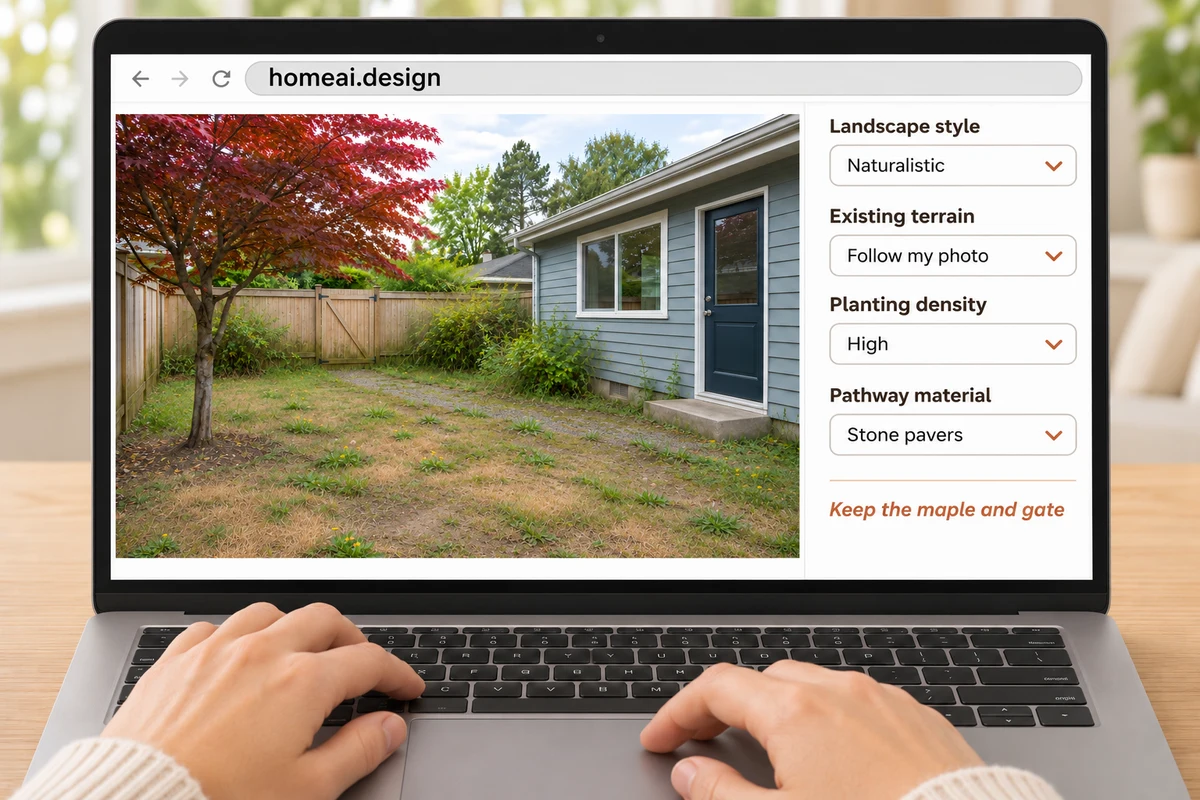
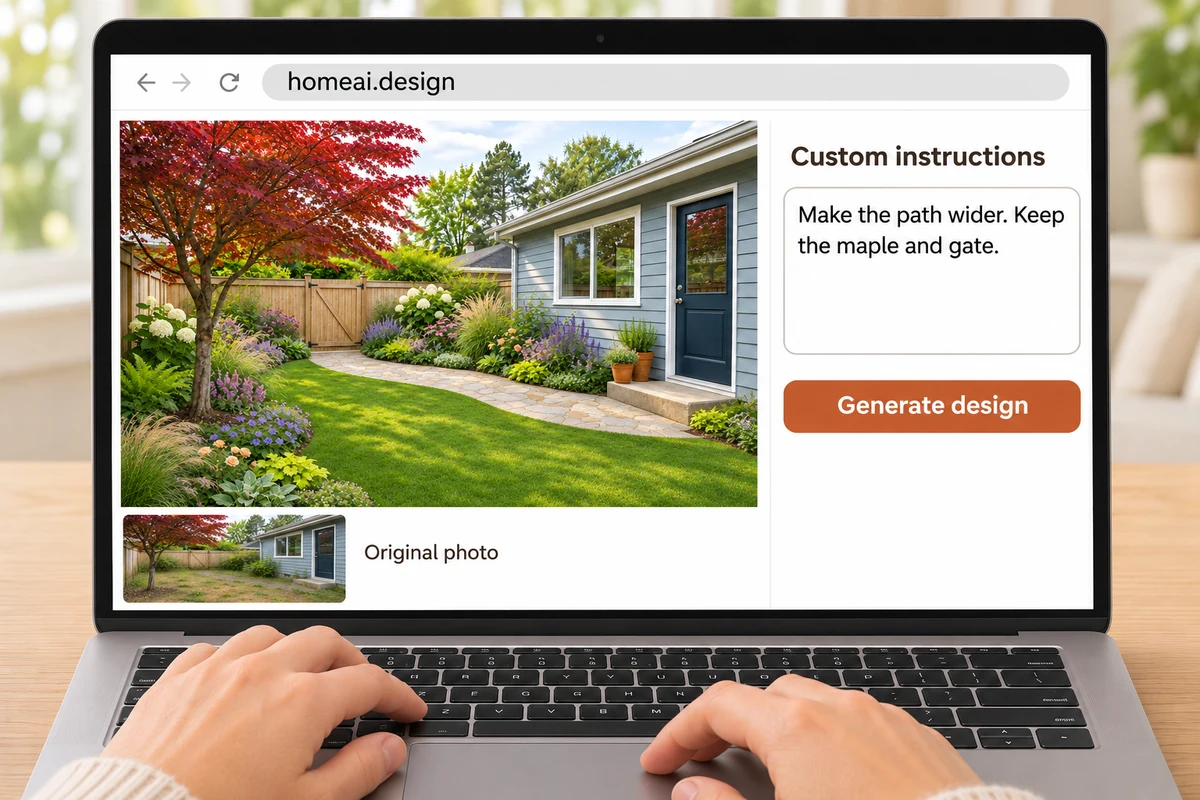
Use AI for landscape design on your phone, tablet or computer. These four steps take you from a yard photo to a concept you can compare, download and refine.
01 / 04
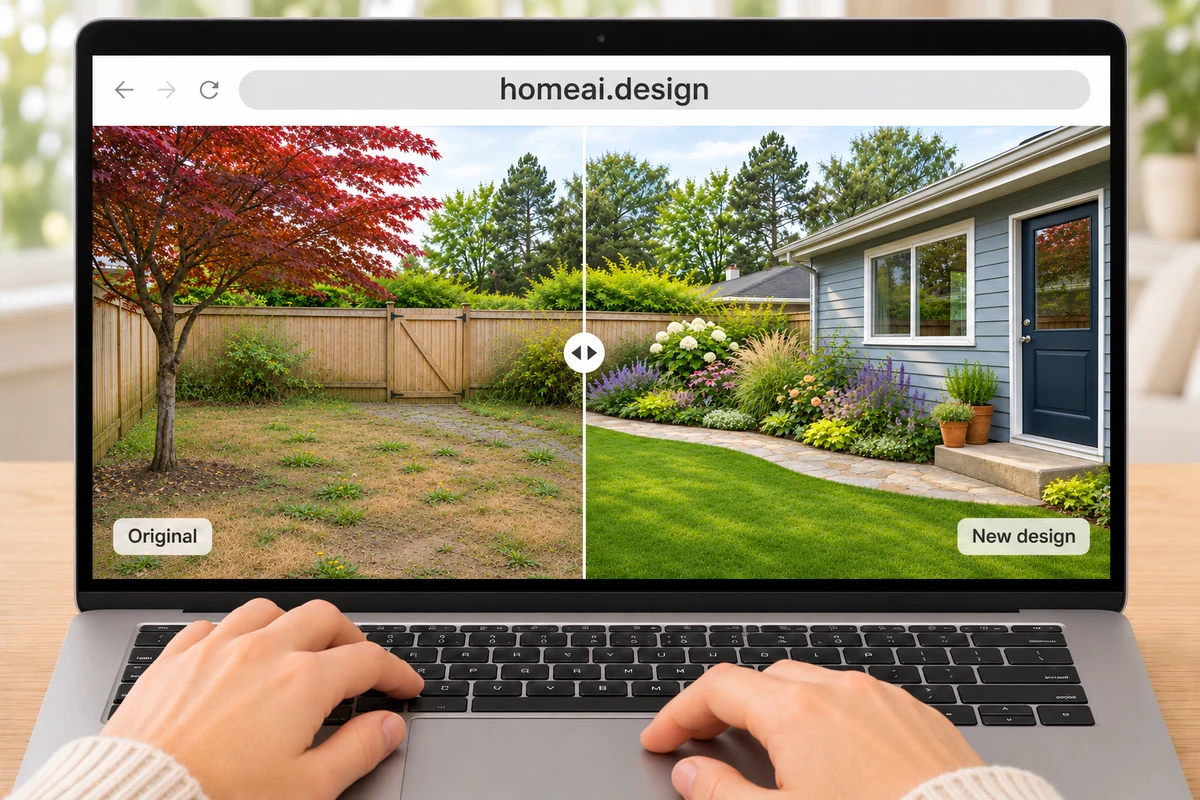
One yard, from original photo to a new design. Workflow illustrations.
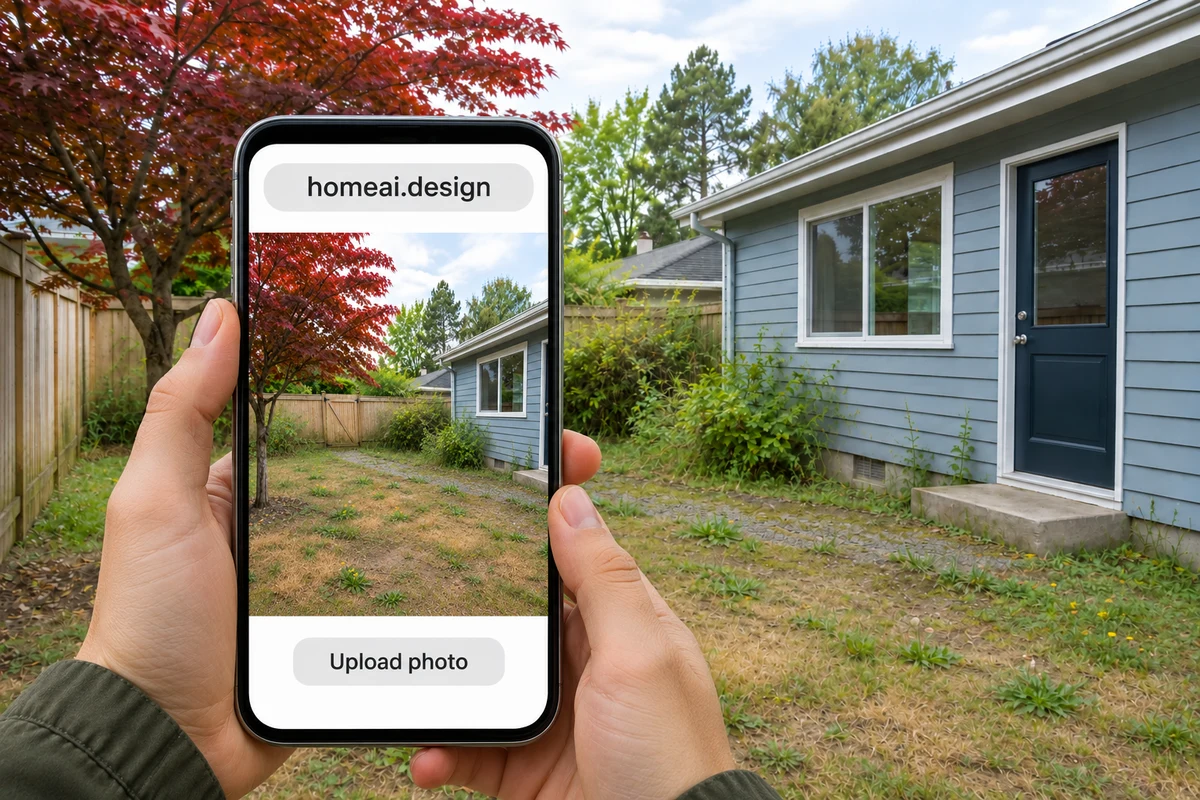
Take & Upload a Yard Photo
Stand in your yard and take a clear photo of its current condition. Include the house, trees, fence and paths, then upload it.
An outside perspective · 5:17
Where AI inspiration meets real garden planning
Garden Project Academy explains why a visual idea still needs site information and a practical plan. This independent explainer is background reading, not a HomeAI product demo. The YouTube player loads only when you choose to watch.
AI Landscape Designs for Gardens, Yards and Patios
Explore AI landscaping ideas around what you need the space to do. A garden, front yard, backyard and patio each have different priorities—even when they belong to the same home.
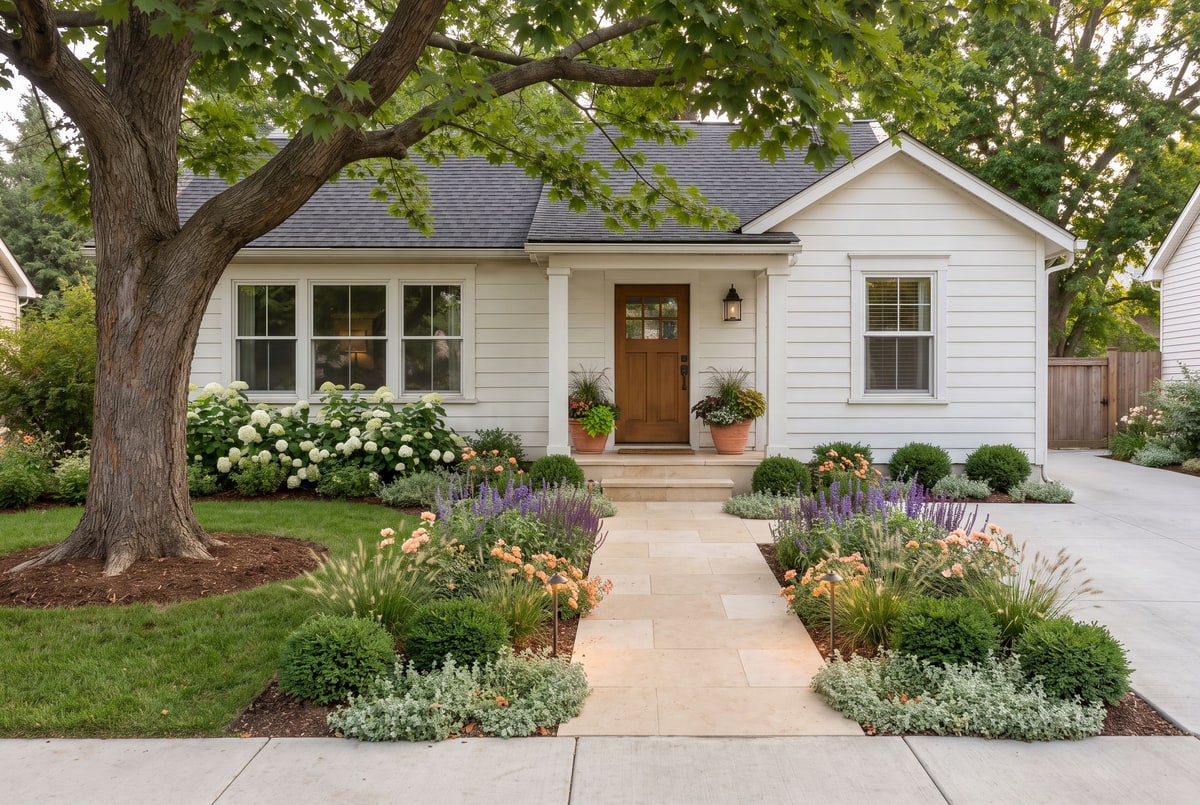
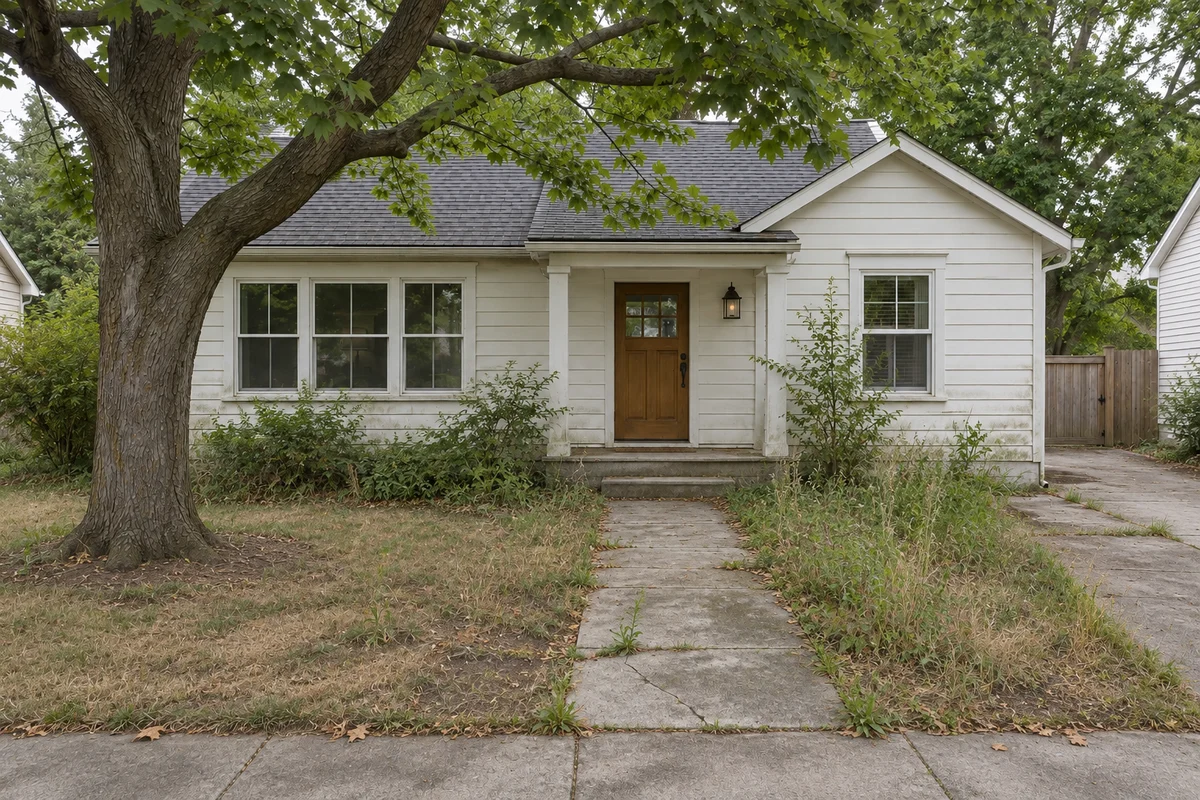
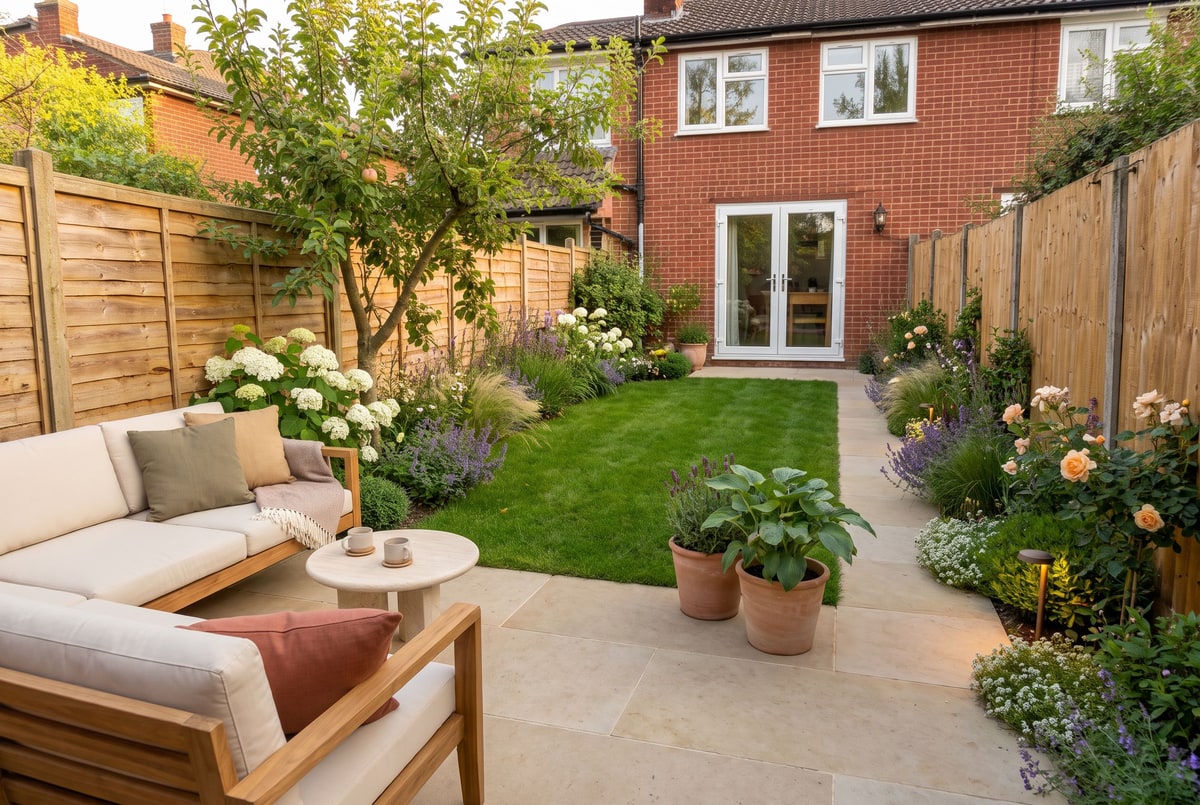
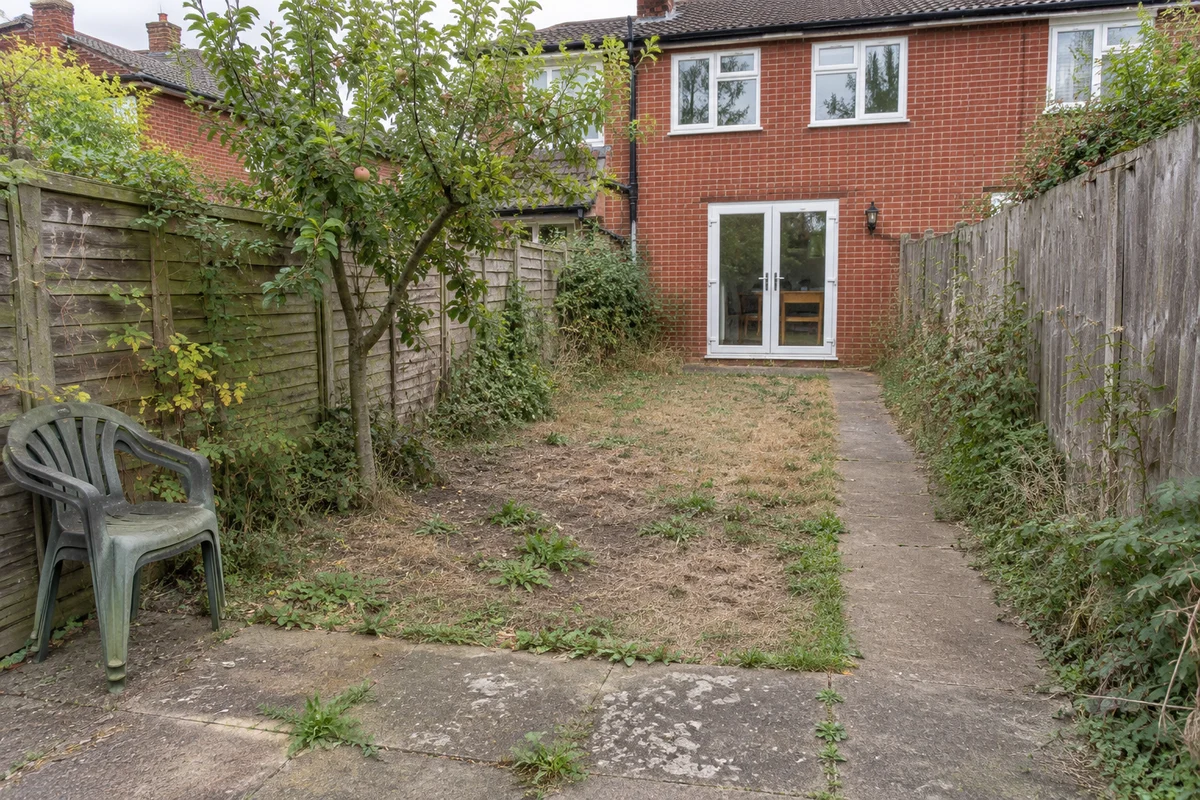
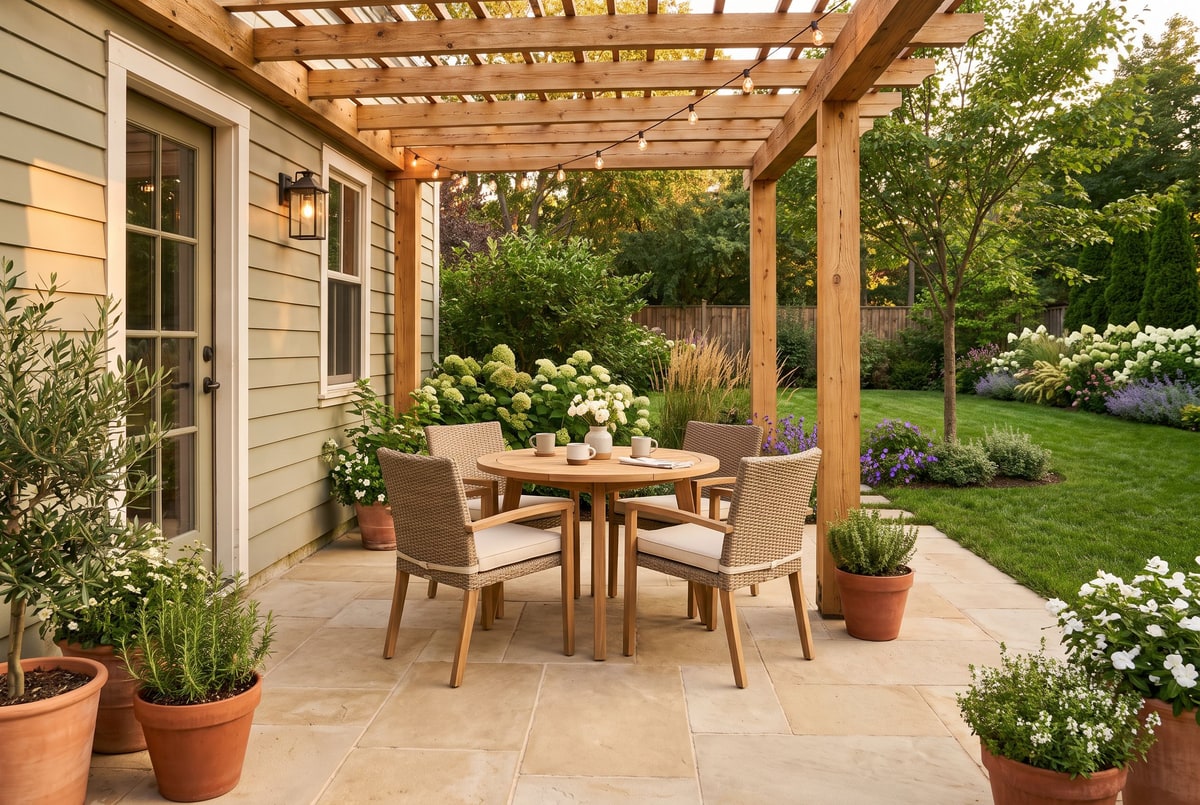
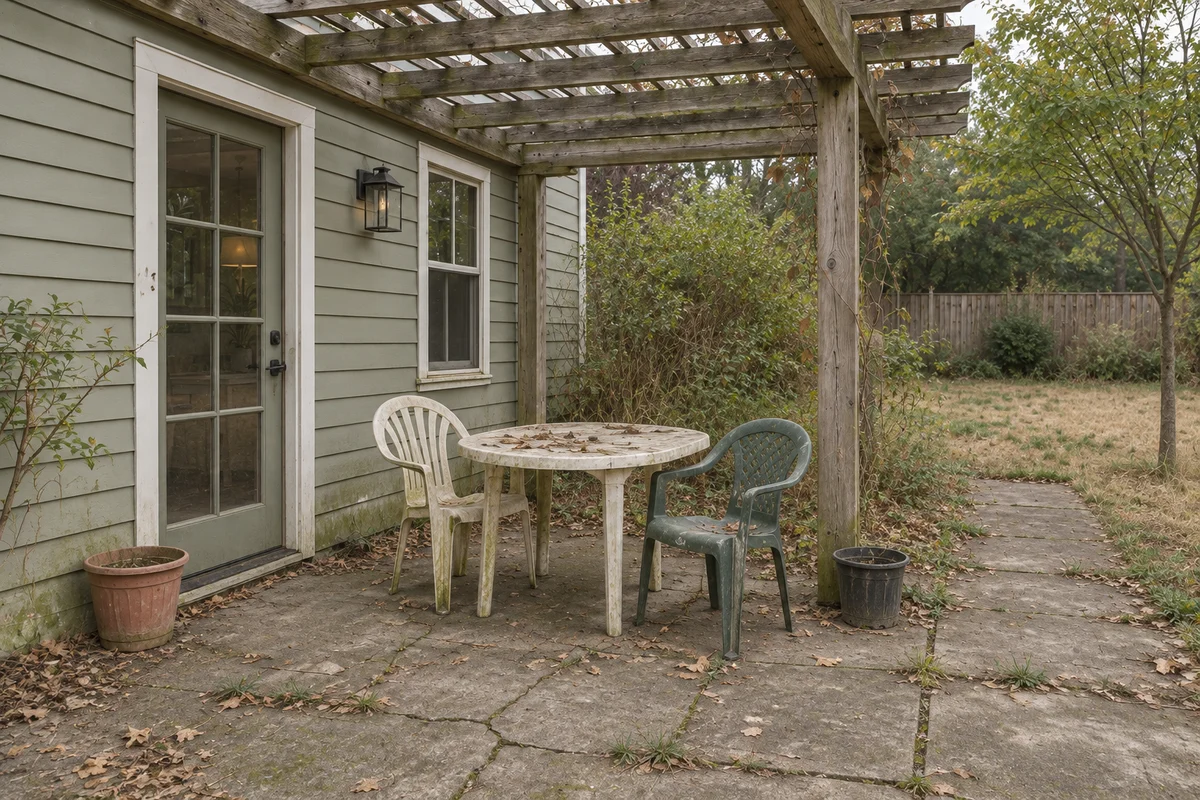
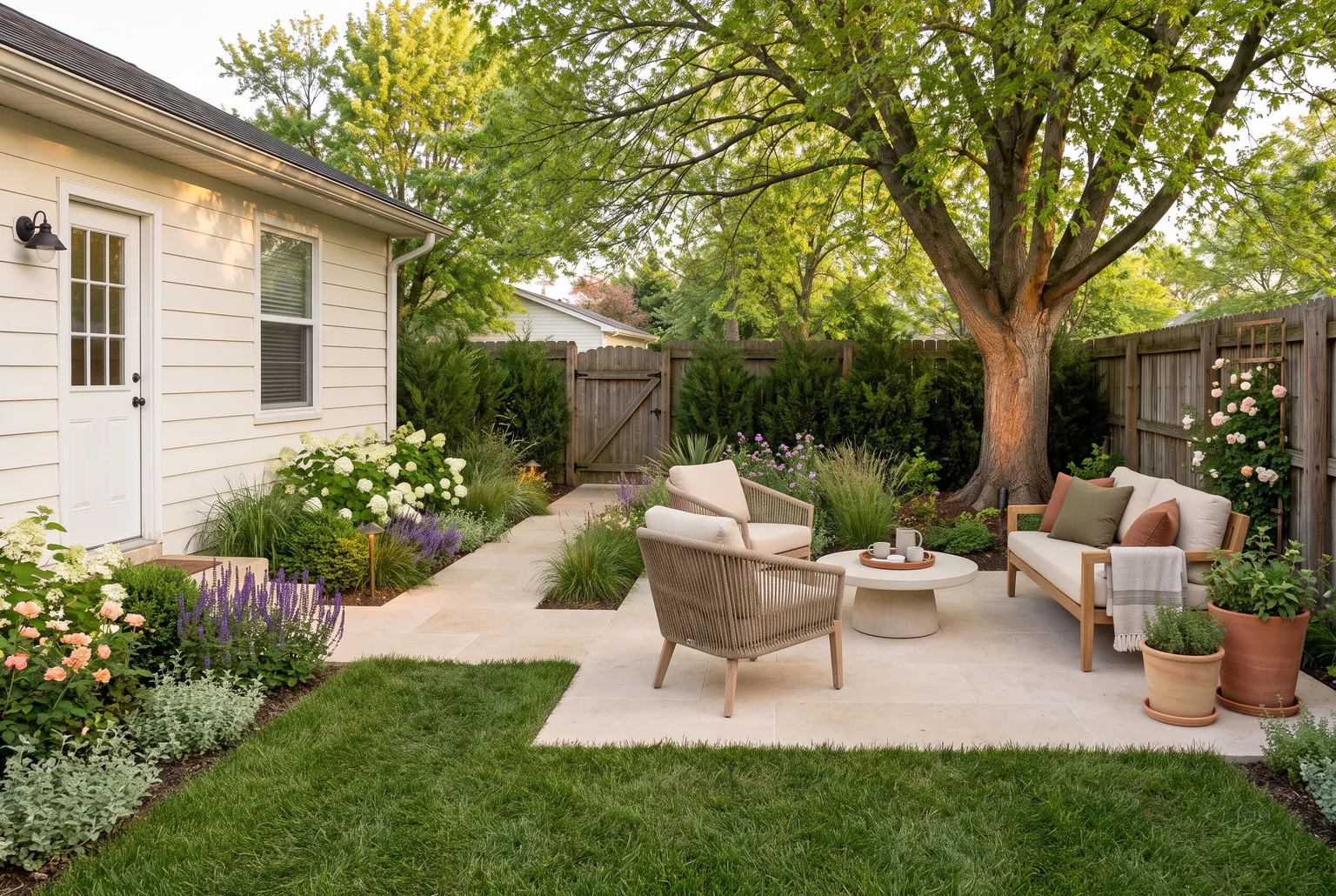
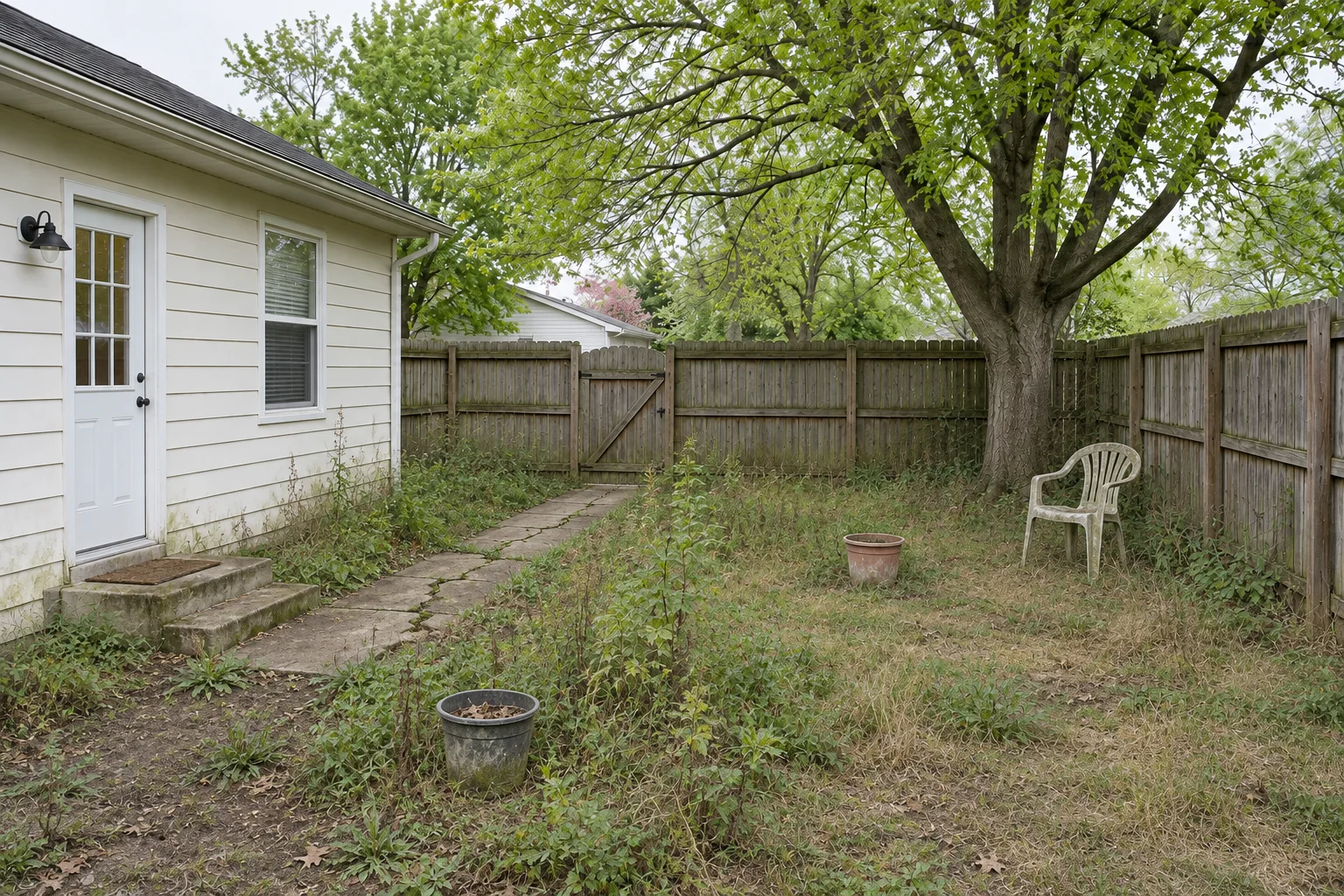
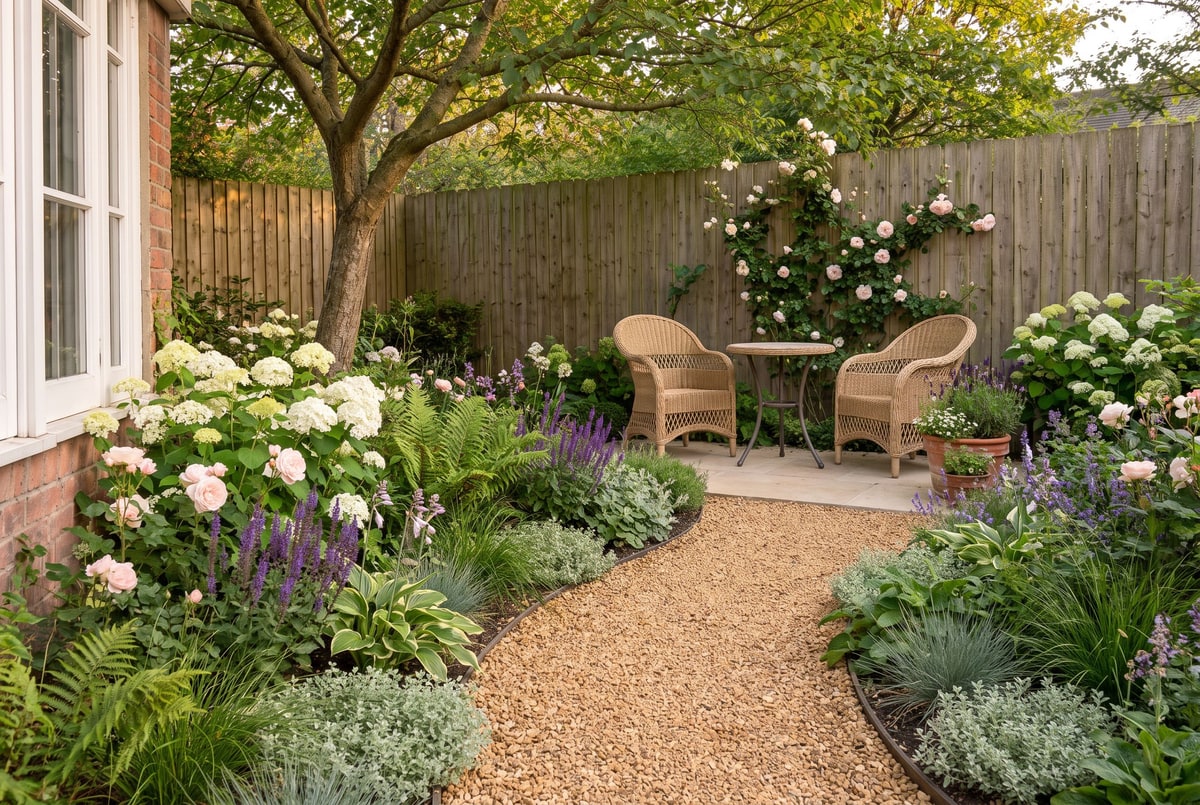
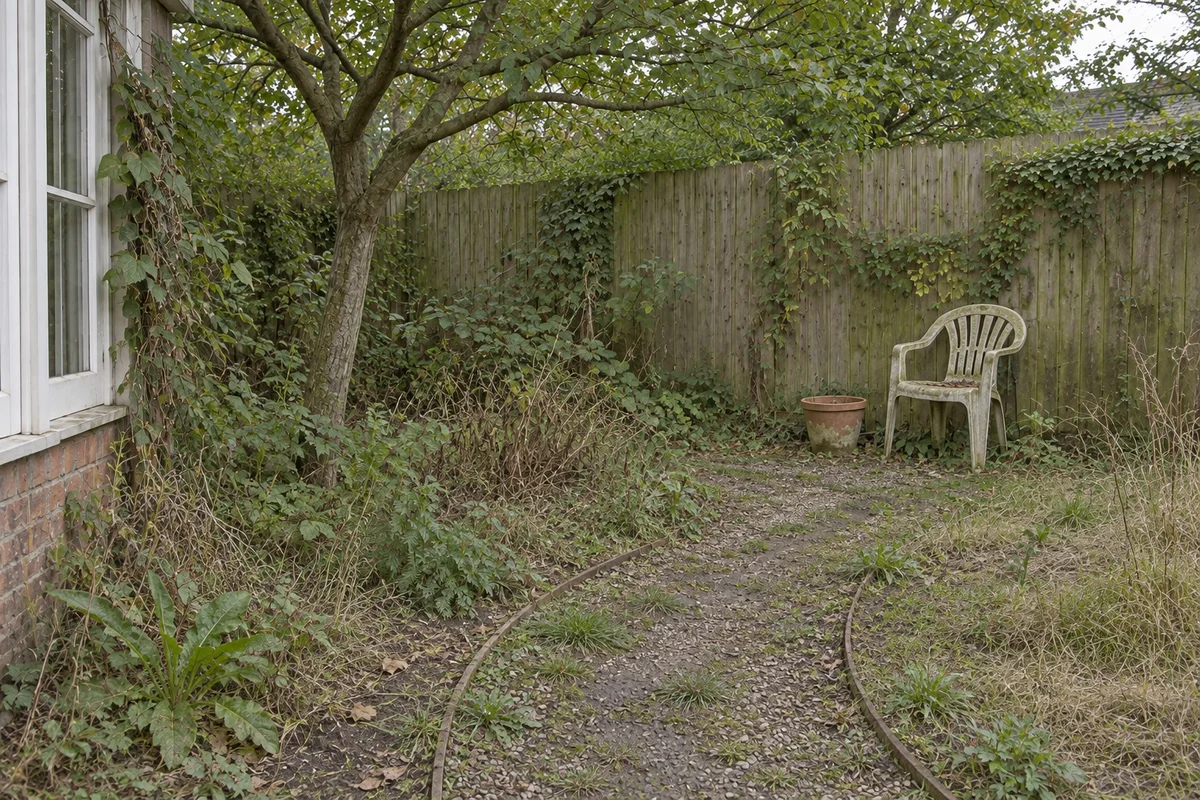
Drag to compare each starting scene with its HomeAI redesign. Starting images are AI-generated illustrations; these are not customer projects.
OriginalAI design
01
AI Garden Design
Use AI garden design to compare layered planting, a clear path and a shaded seat. Describe borders you want to soften and trees you need to keep. Treat generated plants as visual inspiration, then check species and growing conditions locally.
Keep in the brief: Existing trees, shade, access and room for mature growth.
OriginalAI design
02
AI Front Yard Design
Explore AI front yard design ideas that make the entrance easier to find. Compare planting around the path, a clear view of the door and a tidy edge beside the driveway. Allow for parking and bin access, and identify mature trees to retain.
Keep in the brief: Doorways, driveway access, property boundaries and established trees.
OriginalAI design
03
AI Backyard Design
AI backyard design can help you compare a dining patio, space for play or a quiet seating area. Pick one main use for a small yard, and leave clear routes between the house, gate and storage. Check that furniture fits before choosing materials.
Keep in the brief: The house, fence, gate, useful lawn and access to storage or equipment.
OriginalAI design
04
AI Patio Design
Use AI patio design to compare a dining set, a lounge area or a shaded corner. Leave space to pull out chairs and walk between the door and garden. Before building, measure furniture, clearances, steps and changes in level on site.
Keep in the brief: Door clearance, walking routes and existing steps or level changes.
03 / Look beyond the beautiful image
Review Your AI-Generated Landscape Design
An AI landscape design can make your ideas easier to discuss. Before buying materials or changing the site, separate what the picture shows from what still needs measuring, local knowledge or a professional plan.
Check Scale, Access, and Existing Features
Compare the original house, fence line, gate and tree positions. Look for a widened lawn, flattened slope or path that stops short of a door. Door and chair proportions are clues, not measurements. Confirm dimensions, levels and boundaries on site.
A USDA hardiness zone describes winter cold, not every growing condition. Also consider sun, soil, water, mature size and local suitability. Ask how the garden changes outside peak flowering season and how much watering, pruning and care it will need.
Bring the selected image, original photo and a short list of fixed features to a local designer or landscaper. Explain which parts you like and which are negotiable. Add measurements and site constraints before requesting a practical plan or a quote.
AI landscape design tools offer different outputs: a photo concept, an editable layout or a planting list. Compare the task you need to complete, not just how polished a preview looks. These examples describe the products’ public information, not a hands-on quality ranking.
Can an AI landscape generator redesign my yard from a photo?
Yes. Upload your yard photo, choose a style, and add any changes or features you want to keep. Generate and compare the result on this page. The image is a visual concept, not a measured site plan.
Is AI landscape design free, and what does each generation cost?
This page is free to browse. Uploading and generating require sign-in. Each 2K design uses 10 credits; each 4K design uses 20. Credits are returned if generation fails. See Plans and credits for current subscription and one-time options.
Will the AI keep my house, fence, trees, and paths unchanged?
Not reliably enough to promise that everything stays unchanged. Describe fixed features explicitly, then compare every result with the original photo. Text instructions can be ignored or interpreted loosely. Check the house, fence, gate, tree positions and routes before judging the overall style.
Can I compare several AI landscape designs for the same yard?
Yes. Keep the same original photo and change the style or instructions between generations. Your recent results appear below the preview, and saved designs are available in your library. Each generation uses credits.
Can I change just one area without redesigning the whole yard?
You can describe a specific area to change in the shared image workspace, but the surrounding image is not guaranteed to stay fixed. Precise landscape area selection and preservation have not been validated here. Compare every result with the original photo.
Can I use it for a front yard, backyard, garden, or patio?
Yes. Choose Garden, Front yard, Backyard or Patio under Customize, or leave Space type set to Follow my photo. The examples above show results for these four spaces. Results vary with the photo and instructions; check each concept against your original.
Can AI garden design recommend plants for my climate and the seasons?
No verified plant recommendation system is included. A visual plant may be ambiguous or unsuitable for your site. Check local climate, sun, soil, water, mature size and seasonal appearance with reliable regional resources or a local nursery. A hardiness zone is only part of that check.
Are the dimensions and slopes in an AI landscape image accurate?
Do not assume they are accurate. AI can expand a lawn, flatten a slope or change the spacing of objects while keeping the image visually convincing. Measure the site, confirm property boundaries and record levels separately. Use the picture to discuss a direction, not to order materials by quantity.
Can I use the result as a construction or planting plan?
No. A concept image does not provide verified dimensions, grading, drainage, structural details or a planting specification. It can communicate preferences to a designer or landscaper. Ask for the appropriate site-based plan before construction, planting purchases or major changes.
Can the AI tell me how much my landscaping project will cost?
This page does not provide project quotations. Cost depends on the site, materials, access, labour and the actual scope of work. A planting-price list from another tool also does not cover every part of a project. Use a selected concept to explain the scope when requesting local quotes.
Can I download a design and share it with a landscaper?
Yes. Use Download below your generated result, or find saved results in your image library. Save the concept with the original photo and your instructions. Sharing a concept helps explain preferences but does not establish dimensions or feasibility.
Do I need an AI landscape design app, or can I use my phone’s browser?
You can use HomeAI in your phone’s browser, or work on a tablet or computer. The same photo upload, landscape settings and comparison tools are available on each. No app installation is needed.
How are my uploaded photos stored, and can I ask for them to be deleted?
Uploaded images and instructions are processed by configured AI providers, and images are stored in configured object storage. Someone with a direct image link may be able to access it. See the privacy policy; you can contact support@homeai.design to request deletion, subject to ownership verification and applicable retention needs.
What should I do if the AI changes the wrong objects or ignores my request?
Return to the original photo, describe one specific correction and repeat the fixed features that matter. Keep both attempts so you can see what changed. If repeated outputs still distort the site, use the image only as inspiration and switch to a more controlled planning method. A retry is not a guarantee of correction.
How do I choose between an AI landscape design tool and landscape planning software?
Choose by the output you need. A photo generator helps explore appearance; an editable planner helps arrange a layout; a planting tool may add species or quantities. For construction, you still need suitable site information and professional input. Use the linked official descriptions in the comparison table to check each product’s scope.
Your yard, reimagined.
Explore AI backyard design ideas for dining, play or a shaded retreat. Start with your yard photo and describe how you want to use the space.

 OriginalAI design