Start with your real kitchen
AI Kitchen Design from Your Kitchen Photo
Upload a kitchen photo, choose a visual direction, and explore a concept shaped around the room you use every day. Use it to clarify colors, materials, and atmosphere before you discuss renovation details.
A generated image is a visual concept, not a measured kitchen plan. AI may change cabinets, appliances, openings, and proportions. Verify dimensions, electrical and plumbing work, materials, safety, costs, and feasibility with qualified professionals. Photos and results stored by HomeAI are automatically deleted after 30 days.
A fresh direction for your kitchen
Style inspirationReady for your room
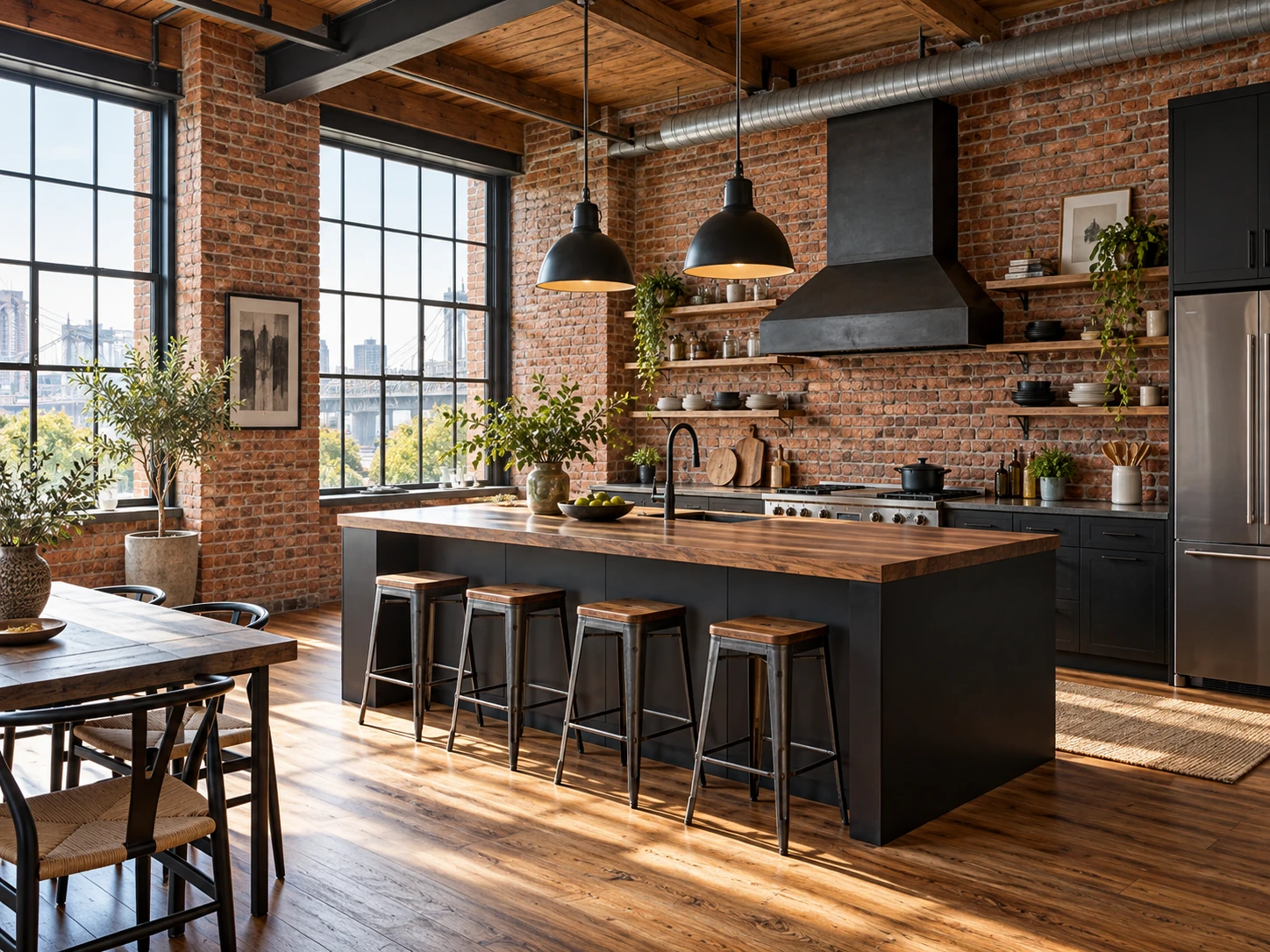
This is a style reference. Upload your own kitchen photo to create a concept for your space.
How to Create an AI Kitchen Design
Use your actual kitchen as the starting point. Choose one style, generate a concept, and use the result to describe what you would like to explore further.
Upload a clear kitchen photo
Choose a bright view that shows the cabinets, work surfaces, floor, and fixed features you want to discuss. Furnished kitchens and empty or unfinished rooms can both be used. Your photo is prepared in your browser before upload.
Choose a style and describe a direction
Kitchen is selected for this page. Pick Modern, Minimalist, Scandinavian, Japandi, or Industrial. Add an optional note about the mood, colors, or materials you want to explore.
Generate and compare your concept
Sign in with Google to generate one concept, then compare it with your original photo. Save the result you want to discuss by downloading it within 30 days.
Explore an AI Kitchen Remodel Visually
A kitchen photo makes it easier to discuss how several visible choices work together. Use this AI kitchen design generator to create one concept, identify a direction you like, then check whether each idea fits the room and your plans.
Cabinet color and character
Compare a lighter or darker cabinet mood, warm wood tones, or a more restrained finish. Look at how the cabinet color relates to the floor and the daylight in your photo. A generated finish is a visual reference; it does not name an exact paint or product.
Countertops and backsplash
Explore the broad relationship between a quieter counter and a patterned wall, or between natural-looking textures and simpler cabinetry. The image can help you explain a preference, but it cannot identify a verified stone, tile, price, or supplier.
Lighting and overall atmosphere
Consider whether the kitchen feels warmer, brighter, calmer, or more contrasted. A concept may suggest pendant or under-cabinet lighting visually; it does not check wiring, brightness, placement, or installation requirements.
A visual direction for a remodel
Use one image to make a conversation more specific: point out the materials, palette, or mood you want to keep exploring. Your result is not a floor plan, a cabinet schedule, or a promise that the layout will remain unchanged.
Choose a Kitchen Style to Start Exploring
These five styles are available in the design tool. Treat each as a starting point for visual exploration: the generated image may interpret a label differently, and the result is not a specification for products or construction.
Modern
Try clean lines, restrained details, and a balanced mix of warm and smooth surfaces. Use the result to decide whether a simpler cabinet profile or a quieter palette feels right for your kitchen.
Minimalist
Explore fewer visual contrasts, open-looking surfaces, and considered details. A calm reference can help you identify which objects or finishes draw attention in the actual room.
Scandinavian
Consider pale wood, soft colors, and a light overall mood. Compare the direction with your room’s daylight and existing finishes before using it to guide a real material choice.
Japandi
Explore warm natural tones with simple forms and subtle texture. Focus on the atmosphere and material relationships you like instead of assuming the image identifies a specific item.
Industrial
Try stronger contrast, darker finishes, visible texture, and metal details. This direction may help you describe a bolder look while keeping practical decisions open for later review.
How to Photograph Your Kitchen for a Design Concept
The source photo guides a visual concept; it does not provide reliable measurements. A readable, honest view helps you compare broad design directions and explain what you would like to investigate.
Show the kitchen from a bright corner
Hold the camera around natural eye level and step back enough to show the cabinets, counter, floor, windows, and doors that matter to your conversation. Avoid an extreme wide-angle view that makes proportions look different.
Use a readable image file
Upload a JPEG, PNG, or WebP file up to 10 MB. Both image dimensions must be at least 512 pixels. A sharp, well-lit photo is useful; professional staging is not required.
Keep private details out of frame
Avoid including identity documents, private paperwork, or people you do not have permission to photograph. Upload images you have the right to use and avoid sensitive information.
An AI Kitchen Design Is for Inspiration, Not Construction
A photo-based image generator can help you explore a look. It cannot confirm the measurements, structural conditions, or installation details needed to carry out a kitchen remodel.
Expect visual changes
The generated concept may alter cabinet positions, appliance shapes, windows, doors, room proportions, or other details. Do not rely on it to preserve your kitchen layout or represent a buildable arrangement.
Check every practical decision
Measure the room and ask qualified professionals to review clearances, structure, electrical and plumbing needs, materials, safety, costs, and local requirements before work begins.
Use the image to explain preferences
Save the colors, textures, and overall mood that help you describe what you want. Treat the output as a conversation reference, then make separate decisions using verified measurements and product information.
Frequently Asked Questions About AI Kitchen Design
Clear answers about using a kitchen photo, exploring a remodel, and understanding what a generated concept can tell you.
Ready to Explore Your Kitchen?
Upload a clear kitchen photo, choose a style, and create a visual direction to compare. Keep the parts you like as a reference for a more informed conversation about your real room.