
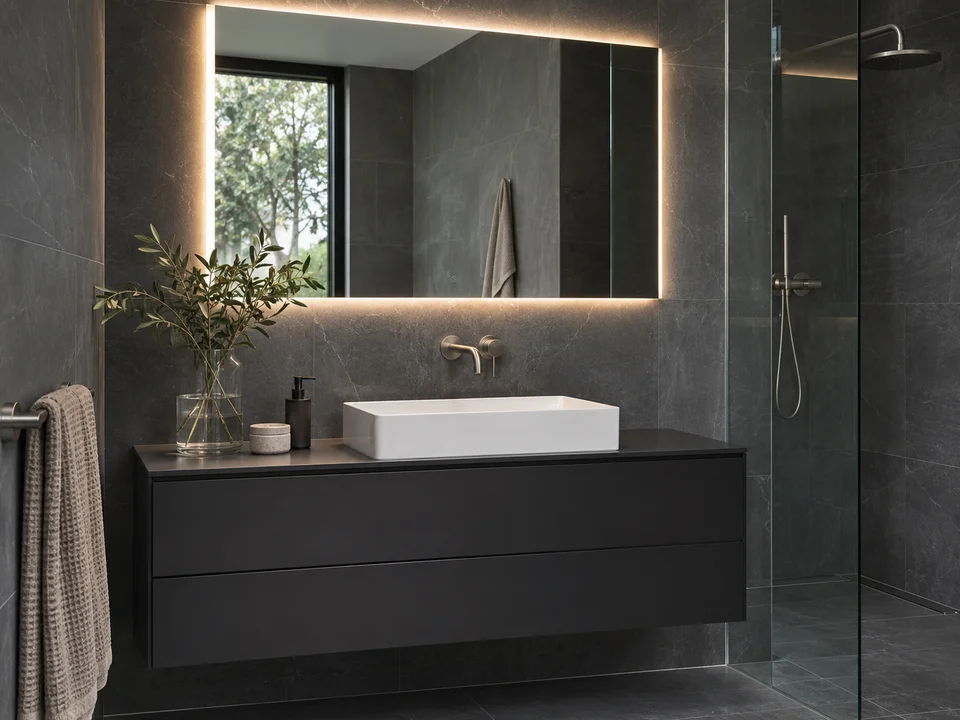
Modern bathroom
Charcoal tile, a floating vanity and crisp white porcelain create a clean, architectural look. A backlit mirror and clear glass keep the lines simple.
Your bathroom, a new perspective
Explore AI bathroom design ideas for the room you already have. Upload a photo, choose Modern, Spa or Classic, and describe what to change and keep. Sign in to generate; the credit cost is shown before you start.
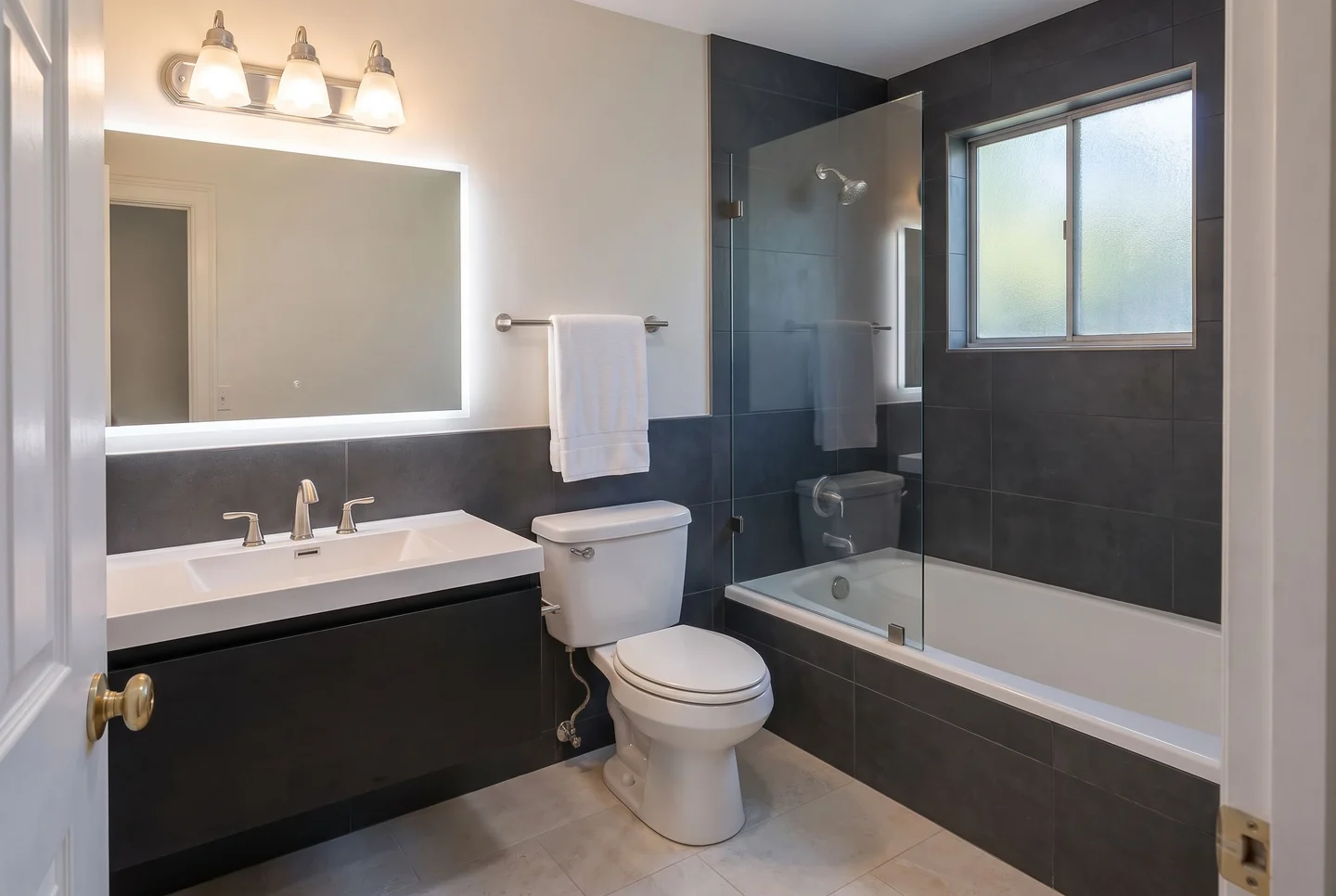
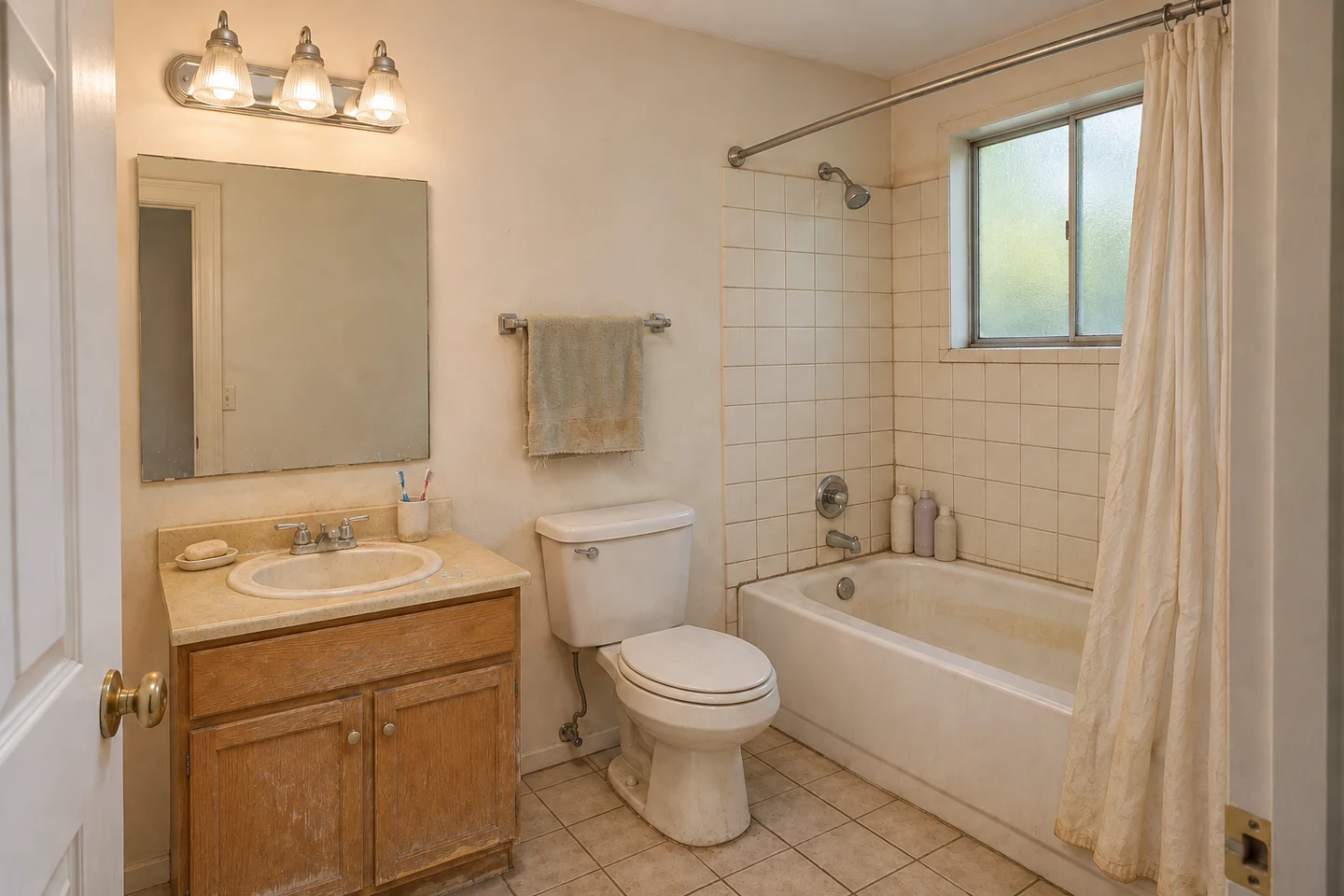 OriginalAI design
Example transformation of an AI-generated scene.
Sign-in required. Each generation uses credits. AI images are design concepts, not construction plans.
HOW IT WORKS
A clear photo. A style you love. A new direction you can compare with the room you already have.
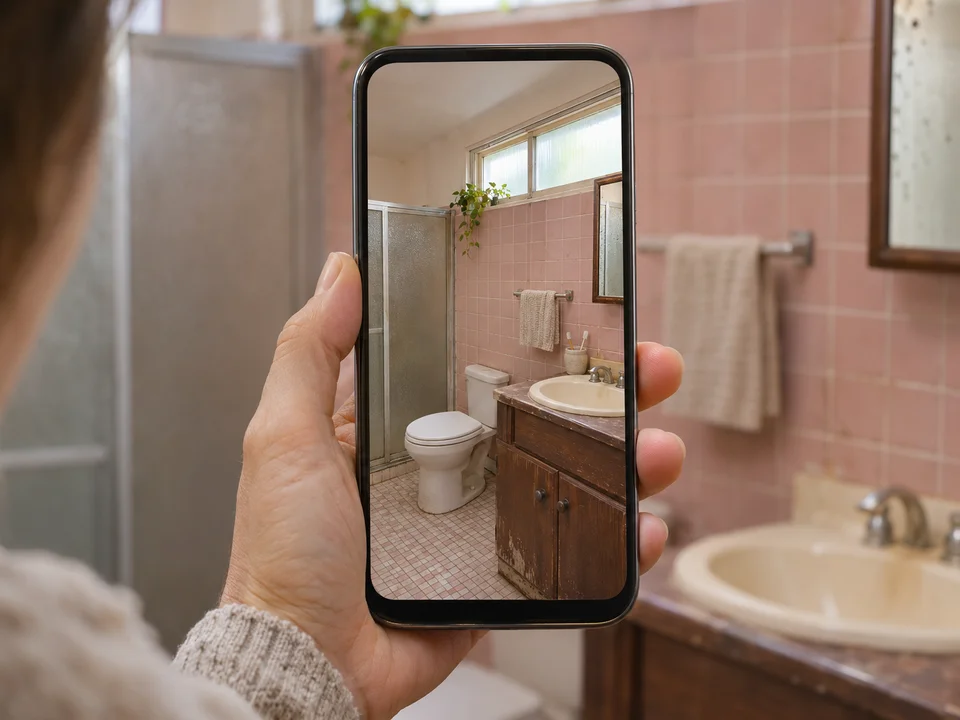
AI-created illustrations of the steps; not customer renovation photos.
JPG, PNG or WebP · Up to 2 MB
Design my bathroom with AITHREE DESIGN DIRECTIONS
Explore three AI bathroom designs through their cabinetry, tile, lighting and finishes. Find a direction you like, then try it on your own photo in the tool above.
Charcoal tile, a floating vanity and crisp white porcelain create a clean, architectural look. A backlit mirror and clear glass keep the lines simple.
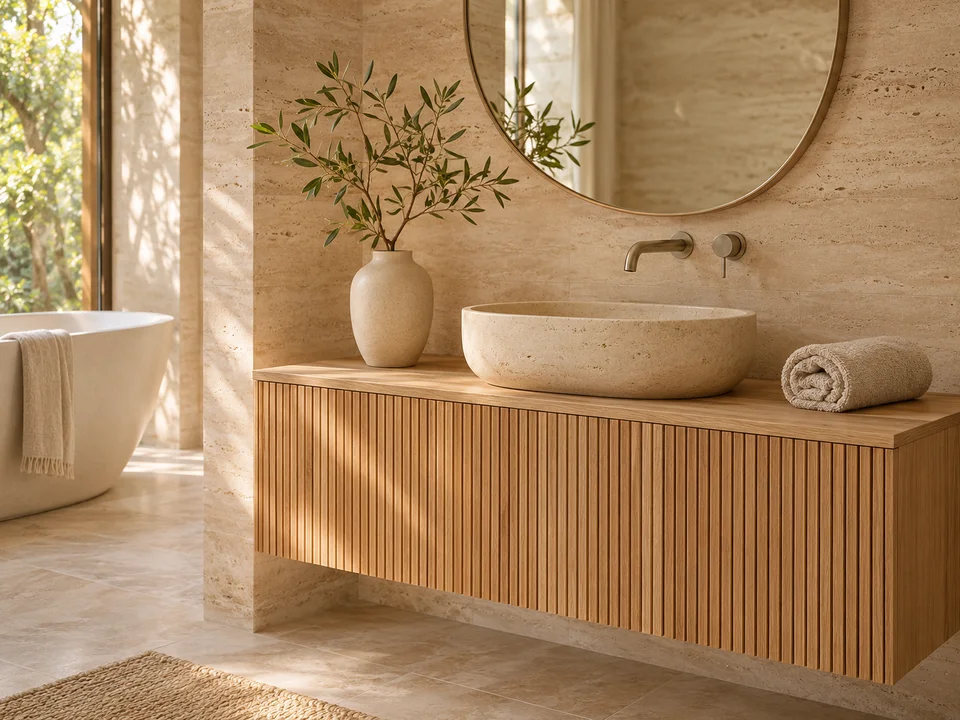
Warm oak, pale stone and rounded shapes create a calmer atmosphere. Soft daylight and natural textures bring the feel of a quiet retreat.
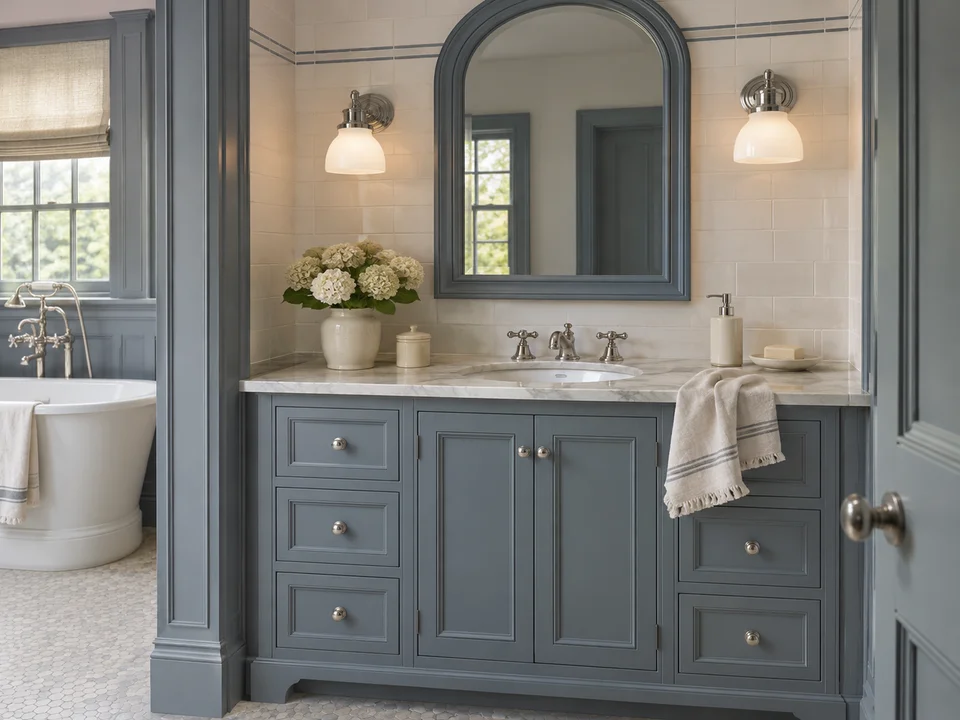
Blue-gray framed cabinetry, ivory tile and polished nickel give the room a timeless character. An arched mirror and traditional sconces complete the look.
AI-created style inspiration.
WORK WITH YOUR SPACE
A small bathroom needs choices you can live with. Use AI bathroom remodel ideas to discuss a visual refresh, then check the space and practical requirements separately.
Try a focused change before asking for a complete transformation: a lighter tile palette, a different vanity finish or a new mirror light. Compare the result with the original to see whether the apparent improvement comes from finishes or from an invented larger room.
Tell the tool which tub, storage or fixtures matter to you. A freestanding bath may look attractive while reducing storage; a floating vanity may change the visual balance without adding usable floor area. Measure door swings, access and product sizes before deciding.
BEFORE YOU REMODEL
A useful concept helps you explain a preference. Check these details before sharing it as a reference for your bathroom remodel.
Count sinks, toilets and tubs. Compare doors, windows, the camera angle and clear routes with your source photo. Look for distorted taps, floating fixtures, extra objects or a mirror showing a different room. Regenerate a result that obscures the decisions you need to make.
AI does not measure the room or specify real products. Check sample tiles and finishes in your actual light, and confirm dimensions, plumbing, waterproofing and ventilation with the people planning the work. A picture of a tiled shower cannot verify what is behind the tile.
FIND YOUR FIT
Choose the output you need before choosing a tool. Photos, ideas and measured plans solve different parts of a bathroom project.
GOOD TO KNOW
A few things to know before you upload a photo, generate a concept or plan your next step.
Privacy PolicyYes. You can design a bathroom with AI by uploading a clear photo, choosing a style and describing your changes. Sign in to generate a concept you can compare with the source and download. The output is an image for exploration, not a measured plan.
Generation uses account credits. Check your balance and current pricing for any available trial credits. The button shows the cost for your selected resolution before you submit; generating is not unlimited or automatically free.
Use a JPEG, PNG or WebP under 2 MB. A sharp phone photo from a doorway or corner is useful. Keep the camera level and show important fixtures, openings and floor surfaces; avoid extreme wide-angle distortion, people and private information.
Exact preservation is not guaranteed. Say what should stay in the requirements, then compare each result with your photo. AI can change proportions, doors, windows or fixtures even when you ask it to retain them.
Yes, you can explore colors, tile combinations, lighting and vanity finishes using your small bathroom photo. Watch for results that enlarge the room or remove needed storage. Use actual measurements to decide what fits.
Choose a style and describe the visible changes you want. Keep the request focused, such as changing the floor tile while keeping the tub. Generated colors and materials are approximations, so compare real samples before purchasing.
Use Edit on a generated design and describe the change. This is a text-directed edit of the image, not a precision selection or mask tool. Check unrequested areas afterward because they may also change.
Check the result against the original, narrow your request and list the fixtures to retain. Start a new design to generate from the original upload, or edit a result for a focused adjustment. Download useful alternatives and compare them before deciding.
No. A photo redesign does not measure your room and does not create an editable, dimensioned layout. Use a measured room planner or work with a designer when you need to check product fit, door swings or fixture clearances.
Use it as a visual reference for a conversation. Confirm real product dimensions, quantities, finishes, plumbing, waterproofing and ventilation before ordering or building. Generated fixtures are not verified products or installation specifications.
HomeAI is a browser-based AI bathroom design app for phones and computers; no separate installation is required. Sign in to upload and generate. After a successful generation, use Download to save the result, and revisit your designs in the history panel or Library.
Your uploaded photos are processed to provide the requested service. Only upload images you have the right to use, keep private details out of frame, and read the Privacy Policy for storage, service-provider processing and your data rights.
Start with your own photo, keep your request focused, and save a concept that makes the next conversation easier.